Depending on your organization’s Slack settings, you may need help from a Slack Admin to complete setup.
Statsig’s Slack integration seamlessly connects your experimentation platform with your team’s communication hub. By enabling this integration, you can receive real-time updates and alerts directly in your Slack workspace. Stay informed about critical changes to your feature gates, experiments, and dynamic configs without constantly monitoring the Statsig console or the Statsig operational health status page.
Setting Up Slack
Step 1: From your Statsig Console, go to Statsig Settings -> Integrations. Step 2: Select Slack and click + Add Connection. Step 3: Allow the Statsig app to connect to your Slack workspace and Slack channel where you would like to receive Statsig’s notifications.Product Notifications
Step 4: Filter to the relevant Team, Tags, or Target Apps. Step 5: Choose the notifications about product-level activities and status changes you want to subscribe to.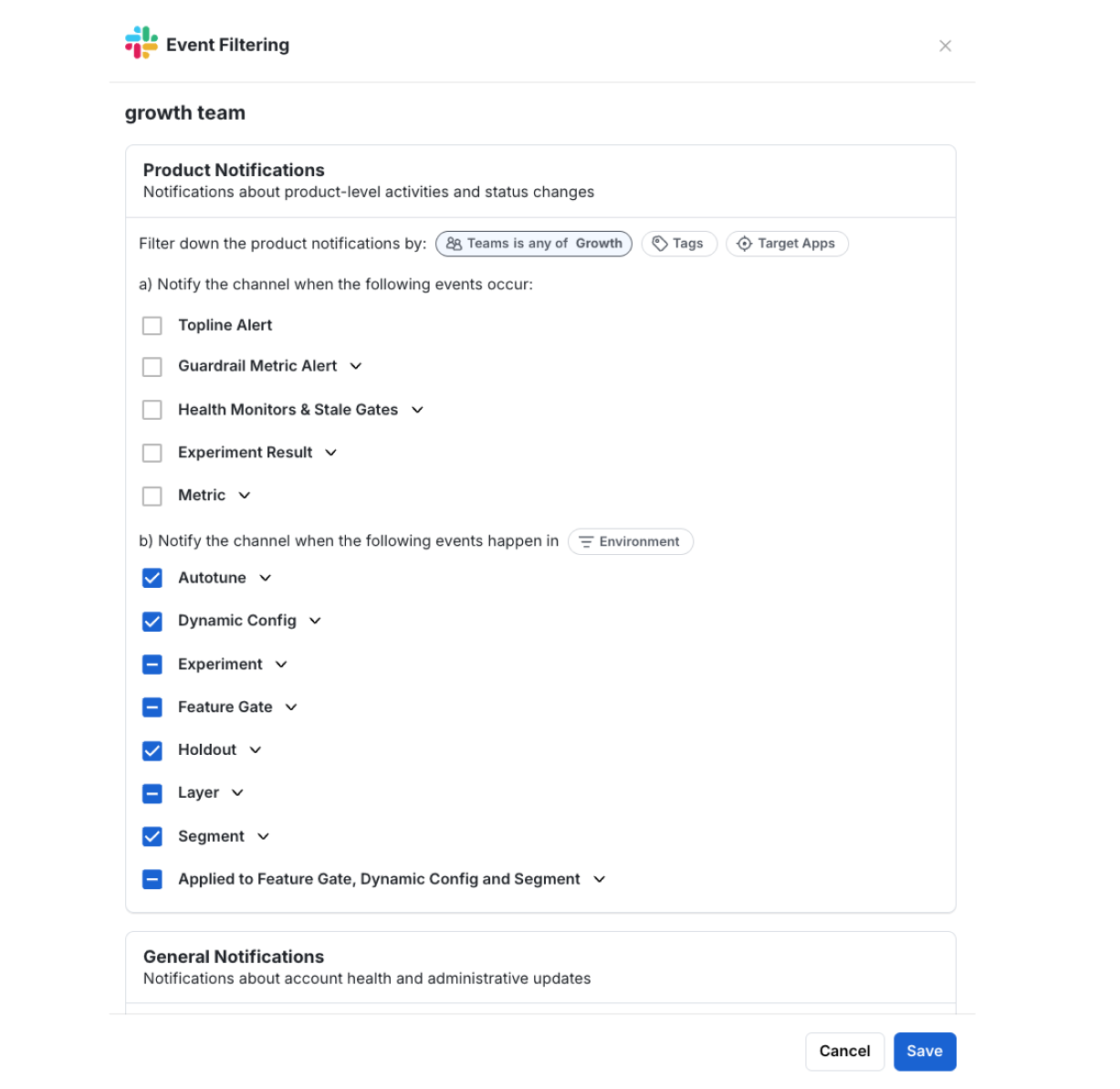
General Notifications
Step 6: Choose the notifications about Statsig system status or administrative updates you want to subscribe to.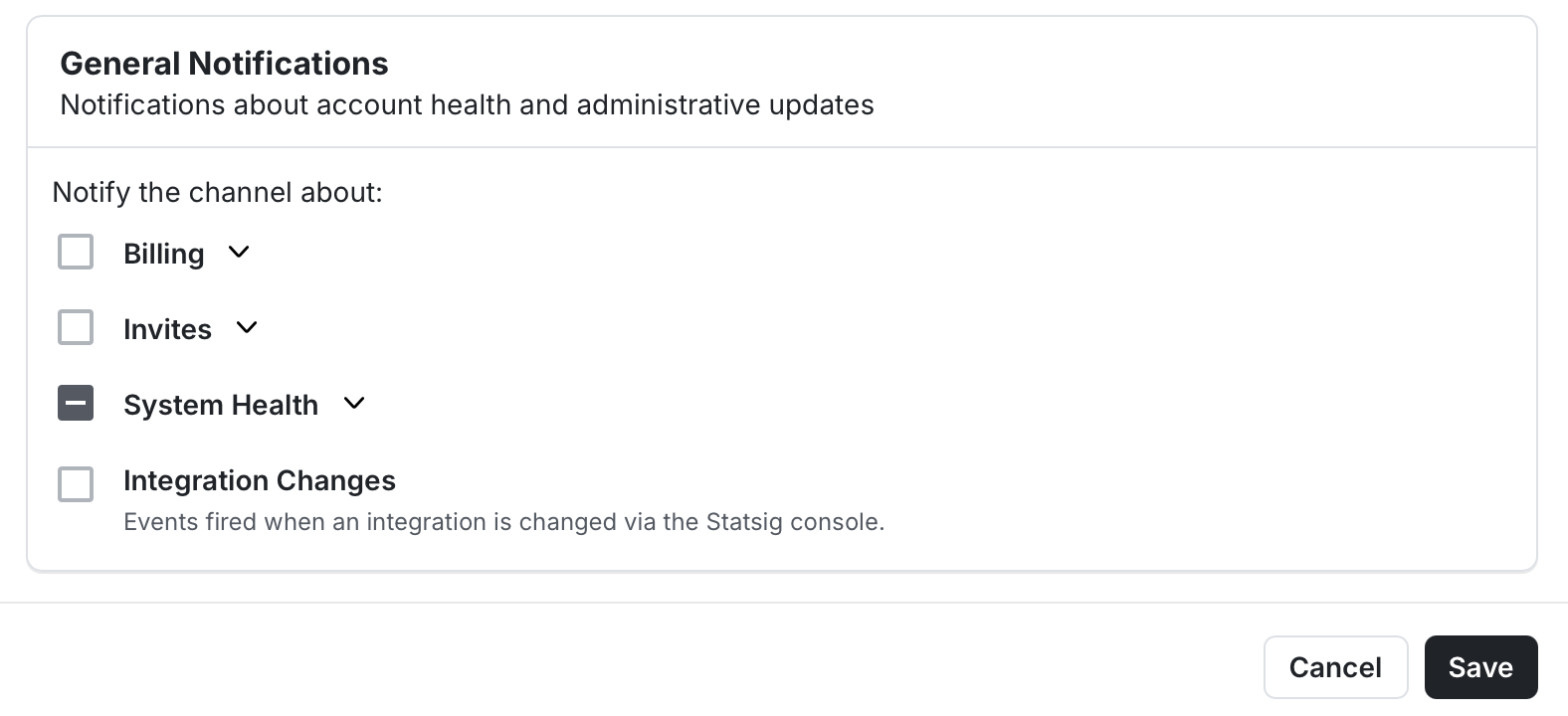
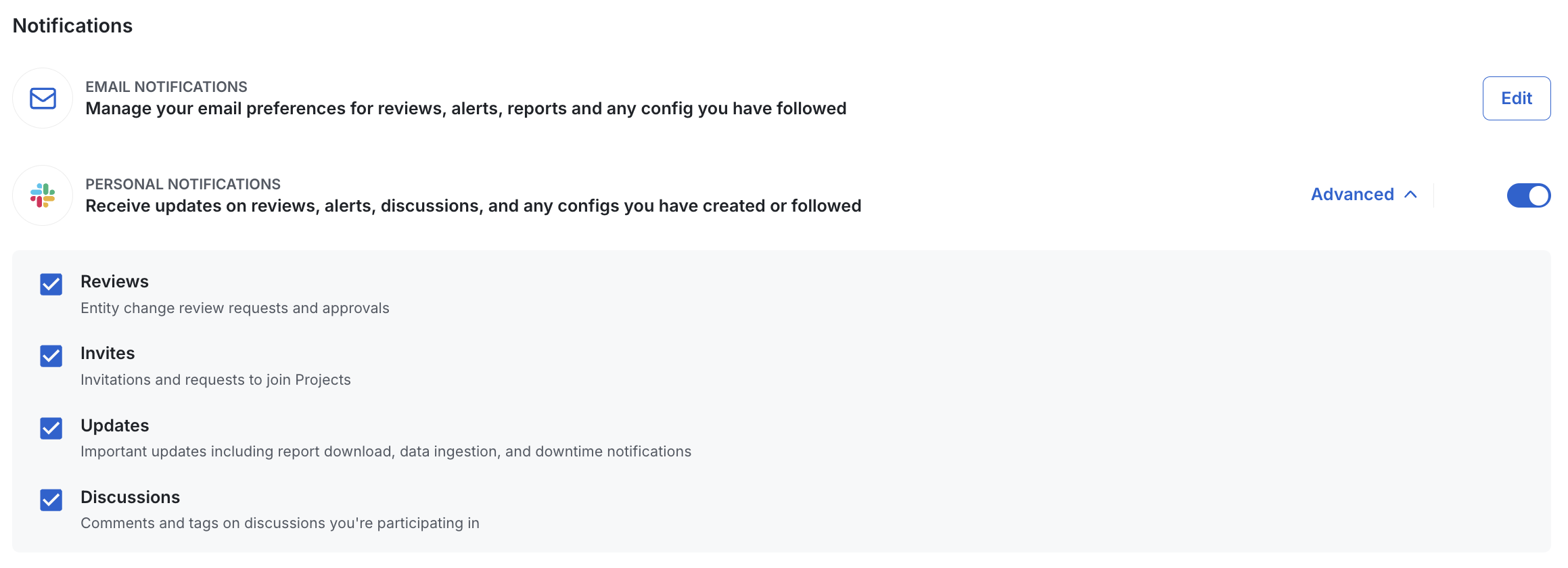
Personal Notifications
Step 7: Go to Settings -> My Account and navigate to Notifications section. In this page, you can also manage your email preferences for receiving notifications on your email.